

Virtual tours
Let people see inside before they decide to come.
A virtual tour answers the question a photo gallery only half answers: what is it like in there. For some businesses that question decides the visit. For others nobody is asking it, and a tour would be a cost with no job to do.








What is a 360 virtual tour on Google Maps, and is it worth having?
A 360 virtual tour is a set of 360 degree photographs of your premises, connected so that a person can step from one to the next, published to Google Maps and Street View against your business, and embeddable on your own website. It lets somebody look around the inside of the building from a phone before they visit.
It is worth having when the premises are part of the decision: clinics, med spas, restaurants, showrooms, venues, studios and gyms. It is not worth having for a service-area business with no premises that customers visit, because there is nothing to walk through.
Google says that photos and virtual tours help people decide to visit a business. It does not say that a tour improves ranking, and neither do we.
Written and maintained by the VIS Mountain team. Last reviewed . The sources behind it are listed below.
What a tour is, and what it is not
Each 360 photograph is a full sphere taken from one spot. Link a dozen of them along the route a visitor would walk, publish them to Google Maps, and the result is the look-around people already know from Street View, continued through your front door.
On Google it is attached to your business and sits with the other photographs on the listing. On your own website it can be embedded in a page, which is the only placement you fully control.
Read the full breakdown: What a tour is, and what it is notHide the full breakdown: What a tour is, and what it is not
It is not a video, a floor plan or a three dimensional model. It is still photography, which is why it is comparatively simple to make, and why it dates the moment you remodel.
It is also not a ranking tactic. Google's page on improving local ranking does not mention virtual tours. What Google does say, on its Street View page for businesses, is that photos and virtual tours help people decide to visit. That is a statement about the visitor's decision, and it is the right standard to judge a tour by.
So the case for a tour is narrow and real. It removes a specific uncertainty for a specific kind of customer: the anxious patient who wants to see the waiting room, the parent checking a studio, the couple choosing a venue, the wheelchair user who needs to see the entrance and the route to reception.
Who a tour suits, and who it does not
The test is whether a customer's decision depends on what the place is like. If it does, show it. If it does not, spend the money elsewhere.
Open the full comparison: Who a tour suits, and who it does notHide the full comparison: Who a tour suits, and who it does not
| Item | What people want to see | Verdict |
|---|---|---|
| Clinics and dental practices | Reception, the waiting area, a treatment room, the way in | Useful, with strict privacy preparation |
| Med spas and salons | Cleanliness, treatment rooms, the feel of the place | Useful |
| Restaurants and cafes | Seating, atmosphere, private dining, the terrace | Useful, and out of date after a refit |
| Showrooms and retail | What is on display, the layout, parking and access | Useful where the display is the draw |
| Venues, studios and gyms | Capacity, equipment, light, changing rooms | Often the strongest case |
| Offices seen by appointment | Very little | Rarely worth it |
| Service-area businesses | Nothing. The work happens at the customer's address | Not suitable. Photograph finished work instead |
Google's guidelines say a service-area business should hide its address from customers altogether. A tour of premises nobody visits contradicts that, and helps nobody.
How a tour is made and published
None of it is complicated. Most of what goes wrong happens in the second step, before a camera is switched on.
Decide the route
The tour follows the path a first-time visitor takes: the entrance from the street, reception, the waiting area, one or two rooms that stand for the rest, and the accessible route if it differs. Rooms that add nothing are left out. A tour of every cupboard is no more convincing than six good positions.
Prepare the premises
This part is yours. The space is photographed as it looks on its best ordinary day, with no customers or patients present and with everything personal or confidential out of sight.
- Screens off, paperwork and whiteboards cleared
- Staff out of frame, or in it by written agreement
- Bins, boxes, cables and seasonal decorations removed
Photograph each position
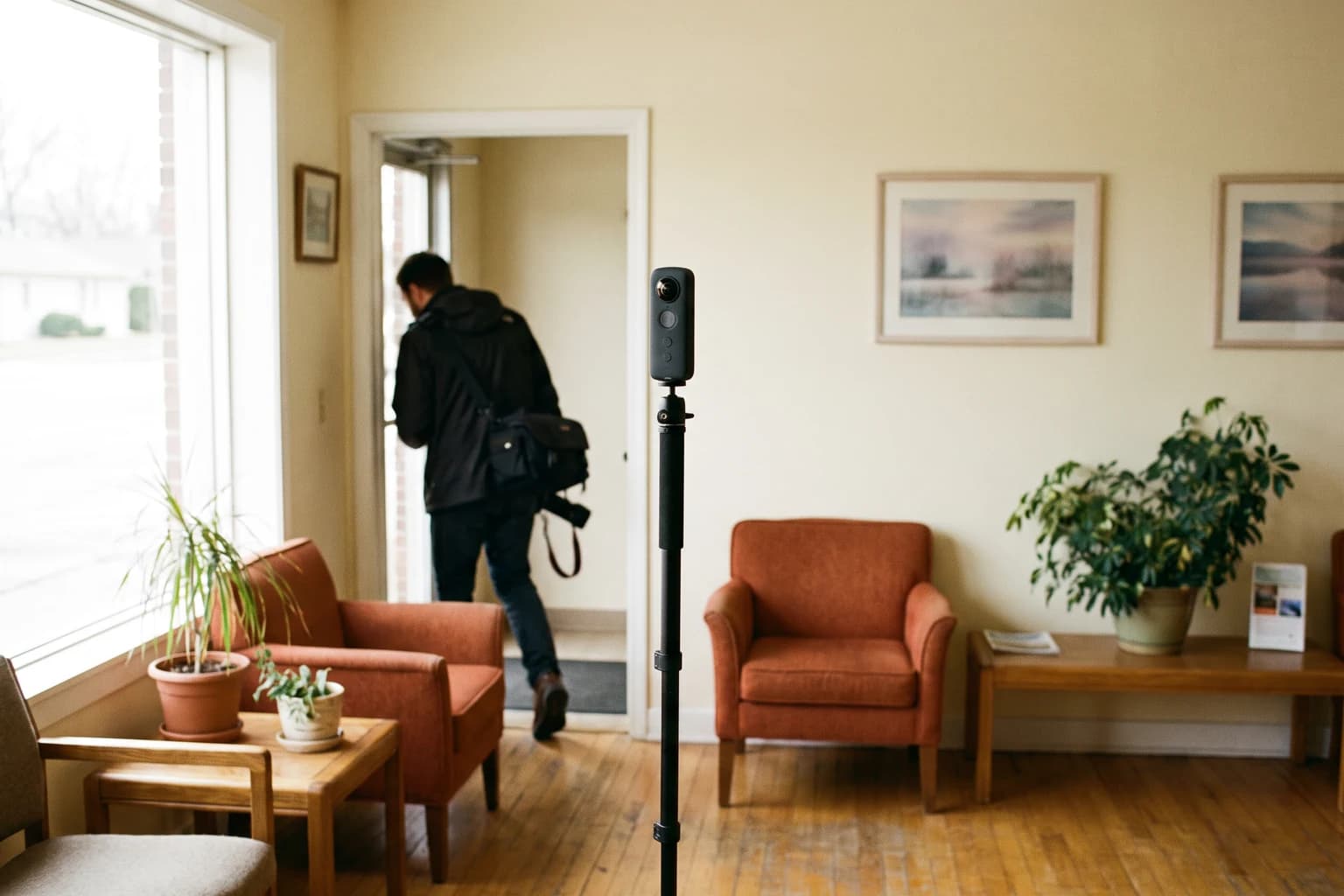
The premises are photographed on site with a 360 degree camera on a stand, position by position. Google's guidance is to follow natural walkways with a clear line of sight from one position to the next, to start at the street and continue inside, and to keep indoor positions about two small steps apart.
See the remaining steps: How a tour is made and publishedHide the remaining steps: How a tour is made and published
Stitch, check and blur
Each position becomes a single spherical image. Every image is checked for stitching errors, blown out windows and dark corners, and for anything that should not be there. Faces, number plates, screens and documents that slipped through are blurred, or the position is shot again.
Connect and publish
The images are linked to their neighbours, pinned to the right spot on the map and published to Google Maps against your business through a Street View publishing tool. It should be published from an account your business controls, because Google only lets the account that added an image delete it.
Embed it, and keep it current
The tour is added to your website so that it loads when somebody asks for it, with a written description beside it. After a refit, a move or new signage it is reshot and the old imagery removed. Google's own advice to businesses is to update Street View imagery when the premises change.
Google may adjust what you publish. Its policy says it can alter, remove or create connections between 360 photos, and adjust their position, to improve viewing. The published tour may not move exactly as it did in the editing tool.
What Google asks of a 360 photo
These come from Google Maps Help, on its page about creating and publishing photo spheres. They are the reason a phone panorama is not a tour.
SourceCreate and publish Photo Spheres to Google Maps, Google Maps Help
The same page asks for no gaps around the horizon, no significant stitching errors, enough detail in light and dark areas, and images that are sharp with no motion blur. Bright windows and dim corridors are where a position most often needs a second attempt.
How a tour is made, and where it ends up
A tour is never the reason somebody searches. It is something they look at once they are already considering you, so it is placed where that looking happens.
Both placements are late in the journey, which sets expectations correctly. A tour does not bring new people in. It helps the ones who have already found you to decide, and it can only do that if the listing and the website are already working.
What must not be in the frame
A 360 camera sees everything, including what is behind it. This list is walked room by room before anything is photographed.
- Patients, customers or visitors, unless each one has agreed in writing to appear.
- Staff who have not agreed. A uniform and a name badge identify a person as surely as a face.
- Computer, tablet and phone screens, which show schedules and names more often than anybody expects.
- Appointment books, sign-in sheets, whiteboards, charts, files and anything sitting on a printer.
- Labels on prescriptions, samples, lab work or parcels.
See the full checklist: What must not be in the frameHide the full checklist: What must not be in the frame
- Thank you cards, children's artwork and photographs of customers on a wall.
- Alarm panels, safes, and the inside of stock rooms or drug storage.
- Mirrors and glass, which put the camera and the room opposite into the picture.
- Anything in a treatment room that tells a viewer what was just done there.
The simplest way to satisfy most of this list is an empty building.
Permission, Google's policies and healthcare
Two sets of rules apply to what a tour shows. The first is Google's. Its Maps policy on prohibited content bars posting personal information without consent, and names a person's face in a photograph or video as an example, along with medical and financial information. Its guidance on 360 photos says that blurring faces and number plates helps protect people's privacy. A tour that ignores this can be reported and removed.
The second is the law, and in healthcare it is strict. The Department of Health and Human Services lists full-face photographs among the identifiers that make health information identifiable, and the HIPAA Privacy Rule requires written authorisation before protected health information is used for marketing, with limited exceptions. A recognisable patient in a published tour of a waiting room is a compliance matter and not a styling one. So is a legible schedule on a screen.
Read the full breakdown: Permission, Google's policies and healthcareHide the full breakdown: Permission, Google's policies and healthcare
We are not lawyers and will not tell you what your obligations are. The practice is responsible for its own compliance. What we will do is decline to publish a position that shows a person or a record without documented permission, and point you to the regulator's own guidance where a question goes beyond that.
Outside healthcare the same habits are good manners and good sense. A gym member, a diner or a child in a dance class did not agree to be on Google Maps. Landlords, shared buildings and some franchise agreements also restrict photography of the premises, which is worth checking first.
On your website: speed, access and what can be measured
An embedded tour is a third-party viewer inside a frame, and it is heavy. Loaded with the page, it competes with your own content for the first seconds of the visit, on a page where the first impression matters. Chrome's Lighthouse documentation describes the fix: show a static preview, and load the real viewer only when somebody clicks it. The page stays fast for everybody who does not open the tour, and nothing is lost for those who do.
Access matters as much as speed. A 360 viewer is of little use to somebody who cannot see it or cannot drag it. The frame needs a title that says what it is, the controls need to work from a keyboard, and the tour must not rotate by itself with no way to stop it. Beside it belongs a short written description of the premises: the entrance, steps or the lack of them, the route to reception, parking, toilets. That text is the alternative the accessibility guidelines ask for, and it answers the practical questions faster than the tour does, for everybody.
Read the full breakdown: On your website: speed, access and what can be measuredHide the full breakdown: On your website: speed, access and what can be measured
Measurement is honest but thin. On the website, a click on the preview can be recorded as an event, which tells you how many people opened the tour and whether they enquired more often than those who did not. That is a correlation and not proof. On Google Maps there is little to measure, and nobody can tell you that a tour produced a particular booking. We would sooner say so than invent an attribution.
We do not publish a price for this piece of work on its own, because the right scope depends on what already exists. What is published is the bundle pricing: 2,400, 3,600 or 4,800 dollars a month depending on which channels are running. You can read the full breakdown on the pricing page, and you will get an exact number in writing before anything starts.
How this connects to the rest
A tour is published against your Google Business Profile, and it is only as useful as the listing it sits on. Wrong hours, the wrong category or a pin in the wrong place will lose the visitor long before they reach the photographs.
It sits alongside local listings work, because the tour is pinned to a map position, and that position has to agree with the address everywhere else it is quoted.
The website embed is a site speed question, which is why it is built to load on a click.
It is also a website accessibility question, which is why it comes with a written description and a keyboard route.
And it supports local SEO only indirectly, by helping the people who already found you to choose you. We will not sell it as anything more than that.
Walk to your own front door as a stranger would.
Start in the street, go through to reception, and notice what a first-time visitor would have wanted to see beforehand. If the answer is a lot, a tour has a job to do. If it is nothing, we will say so.
Straight answers.
Does a virtual tour improve our Google ranking?
Google does not say so, and we will not. Its page on improving local ranking covers verification, complete information, reviews, and photos and videos. It does not mention virtual tours, and it states that there is no way to request or pay for a better local ranking.
What Google does say is that photos and virtual tours help people decide to visit a business. Judge a tour on that, and treat any ranking claim attached to one with suspicion.
Where does the tour appear on Google?
On Google Maps and in Street View, attached to your business, alongside the other photographs on the listing.
Google controls the layout of a listing. Its own help page says that even a cover photo you choose is not guaranteed to show first, so nobody can promise where a tour will sit or how prominent it will be.
Can patients or customers be in the tour?
Only with their documented permission, and the simplest answer is that nobody is. Google's Maps policy bars posting a person's face without consent, and its guidance on 360 photos recommends blurring faces and number plates.
In healthcare it goes beyond policy. The HIPAA Privacy Rule requires written authorisation before patient information is used for marketing, and the practice is responsible for its own compliance. We will not publish a position that shows a patient or a record.
Will the embed slow down our website?
Only if it is loaded with the page. A 360 viewer is a heavy third-party frame, and loading it for every visitor costs speed on a page where speed matters.
Built properly, the page shows a still preview and loads the viewer when somebody clicks. Visitors who never open the tour never pay for it.
What happens when we remodel or move?
The tour is out of date the day the premises change, and an out of date tour misleads the people it was meant to reassure. It should be reshot, and the old imagery removed.
That is why the tour should be published from an account your business controls. Google only allows the account that added an image to delete it, so a tour published from somebody else's account can outlive the relationship.
We go to our customers. Is there a version of this for us?
No, and we would talk you out of it. Google's guidelines say a service-area business should hide its address from customers, and a tour of premises nobody visits helps nobody.
The equivalent for a trade is photographs of finished work, taken with the customer's permission and added to your listing and your website. That shows what people are actually deciding on.
Where this comes from.
Primary documentation and published research behind the guidance on this page.
- Show your business inside and out, Google Street View (opens in a new tab)Google's own description of what a virtual tour is for.
- How Google improves local ranking results (opens in a new tab)
- Tips for posting media to Maps, Google Maps user generated content policy (opens in a new tab)The criteria for 360 photos, blurring faces, and Google's right to alter connections.
- Prohibited and restricted content, Google Maps user generated content policy (opens in a new tab)Personal information, including a face in a photograph, may not be posted without consent.
- HIPAA and marketing, U.S. Department of Health and Human Services (opens in a new tab)
- WCAG 2 checklist, WebAIM (opens in a new tab)A practical summary of the Level A and AA success criteria.
Talk to the team
A short call, a look at how the business currently shows up, and a straight answer on what we would do first.